Picture this: it is Friday evening in Dhaka. Your restaurant is full, one waiter is calling an order out to the kitchen, another is trying to manage a Foodpanda order, and someone at the counter is calculating a customer's bill manually. In the middle of all this, a modifier gets missed. The customer ordered extra cheese or sauce, but the kitchen never received the instruction. Another table has finished eating but is still waiting for the bill.
If this sounds familiar, you are not alone. Many restaurants in Bangladesh still depend on handwritten KOTs, basic cash registers, multiple delivery-platform devices, spreadsheets, and manual end-of-day calculations.
A restaurant POS system is much more than a digital cash register. It is the operational backbone that connects your orders, kitchen, billing, payments, inventory, and business data in one live system.
Modern cloud-based POS platforms can run on devices that restaurants already have, such as Android tablets, smartphones, laptops, or computers. This makes restaurant technology considerably more accessible than traditional POS setups that require expensive dedicated hardware.
This guide explains what a restaurant POS system does, which features are most useful for different types of restaurants in Bangladesh, and what restaurant owners should consider before choosing a POS system.
What Does a Restaurant POS System Actually Do?
Most restaurant owners initially think of a POS as a digital billing machine. In reality, a modern restaurant POS manages the entire journey of an order—from the moment a customer places it to the moment payment is completed and the transaction appears in the restaurant's reports.
It connects the front-of-house team, kitchen, cashier, management, inventory, and reporting into one system.
There are five core functions of a restaurant POS:
Order management
Kitchen coordination
Billing and payment management
Inventory tracking
Sales and business reporting
When these functions work together, restaurants can significantly reduce the manual errors, delays, and communication gaps that occur with paper-based systems.
How Order Management Works in a Modern Restaurant POS
A restaurant POS can consolidate orders from multiple sources, including:
Dine-in tables
Takeaway orders
Counter orders
Phone orders
Online orders
Food delivery platforms
For Bangladeshi restaurants, delivery-platform integration is particularly important as online food ordering has become an important part of restaurant operations. Foodpanda, for example, provides POS integration that can send orders directly into an integrated restaurant POS.
Without integration, staff may have to monitor separate devices and manually enter online orders into the POS. This creates additional work and increases the possibility of mistakes.
A unified order queue gives the restaurant one place to monitor orders, regardless of where they originated.
KOT vs KDS: Which Is Better for Your Kitchen?
Two common terms in restaurant technology are KOT and KDS.
KOT (Kitchen Order Ticket) is the traditional printed ticket sent from the billing counter or waiter to the kitchen.
KDS (Kitchen Display System) replaces paper tickets with digital kitchen screens. Orders appear on a display in real time, allowing kitchen staff to see new orders, preparation status, modifiers, and pending items.
Traditional restaurants may continue using printed KOTs, while busy QSRs, cafés, food courts, and cloud kitchens may benefit more from KDS.
The right choice depends on the restaurant's size, kitchen workflow, order volume, and budget.
Food Delivery Integration in Bangladesh
For many restaurants in Bangladesh, online delivery is now an important sales channel.
Instead of receiving a Foodpanda order on one device and then manually entering the same order into another system, POS integration can allow the order to flow directly into the restaurant's order-management system.
Foodpanda officially provides POS integration for restaurant partners and supports receiving orders through integrated POS systems.
When evaluating a POS, restaurant owners should therefore check:
Which delivery platforms are supported?
Is the integration native?
Does it require an additional fee?
Can menus be synchronised?
Can online orders go directly to the kitchen?
Can online and dine-in sales be reported together?
For restaurants operating cloud kitchens, these capabilities can be particularly valuable.
Billing, VAT and Payment Flexibility
A reliable restaurant POS should make billing simple while supporting the restaurant's applicable tax and VAT requirements.
Bangladesh's tax environment is different from India's, so restaurant owners should not assume that Indian GST rules apply to their business. NBR identifies 15% as the standard VAT rate, while specific businesses and services may be subject to different treatment under applicable VAT rules and orders.
The POS should therefore be configured according to the restaurant's actual VAT/BIN requirements and the applicable rules for its business.
A good restaurant billing system should be able to:
Generate professional customer invoices
Apply configured VAT correctly
Record discounts
Handle complimentary items
Track service charges where applicable
Maintain sales records
Separate payment methods
Produce end-of-day reports
Cash, bKash, Cards and Digital Payments
Customers in Bangladesh commonly use multiple payment methods, including:
Cash
bKash
Nagad
Debit cards
Credit cards
Other digital payment methods
Foodpanda also supports bKash payments for food orders, demonstrating the importance of digital payment options in Bangladesh's food-delivery ecosystem.
A POS system should record the payment method against each transaction so that the restaurant can reconcile its cash, bank, and digital-payment collections at the end of the day.
Table Tracking and Real-Time Floor Management
For dine-in restaurants, table management is another important POS feature.
A POS can provide a visual floor plan showing:
Available tables
Occupied tables
Reserved tables
Orders placed
Current bills
Table status
Instead of repeatedly walking around the restaurant to determine which tables are occupied or waiting for service, the manager can see the restaurant's status from the POS.
For restaurants in busy areas of Dhaka, Chattogram, Sylhet, Rajshahi, Khulna and other major cities, better table visibility can help improve service speed during peak hours.
QR Code Ordering
QR ordering can take table management one step further.
Customers scan a QR code at their table, view the restaurant's digital menu on their phone, and place their order.
The order can then move directly into the POS workflow.
This can reduce pressure on waiters during busy periods and allow staff to spend more time serving customers instead of repeatedly taking orders manually.
QR ordering can be particularly useful for:
Cafés
QSRs
Food courts
Busy dine-in restaurants
University-area restaurants
High-footfall outlets
Sales Reporting: What Do Your Numbers Tell You?
Every transaction processed through a POS creates useful business data.
You can identify:
Best-selling dishes
Slow-moving items
Peak sales hours
Daily sales
Weekly sales
Monthly sales
Discounts given
Payment-method breakdown
Sales by employee
Sales by branch
Food-cost trends
This information is difficult to obtain accurately when a restaurant relies entirely on handwritten bills or manual spreadsheets.
A restaurant POS turns everyday transactions into structured business information that owners can use to make better decisions.
Cloud POS and Remote Restaurant Management
One of the biggest advantages of a cloud-based POS is remote access.
A restaurant owner does not necessarily need to be physically present at the outlet to understand what is happening.
Depending on the system, the owner may be able to check sales, orders, products, inventory, and other business information from a laptop or smartphone.
This becomes even more valuable when an owner operates multiple branches.
Instead of collecting reports manually from Dhaka, Chattogram, Sylhet, or another location and combining them at the end of the week, management can access information from multiple outlets through a central system.
How to Choose the Right POS System for Your Restaurant
Traditional POS systems often require dedicated terminals, receipt printers, cash drawers, networking equipment, and sometimes kitchen display hardware.
This can create a significant upfront cost.
Cloud-based POS systems take a different approach. They can operate on devices that a restaurant already owns, such as an Android tablet, smartphone, laptop, or desktop computer.
This makes cloud POS particularly attractive to:
Small restaurants
New restaurants
Cafés
QSRs
Cloud kitchens
Single-outlet businesses
Restaurants planning to expand gradually
Instead of investing heavily in hardware before knowing whether the system fits the business, restaurant owners can start with the software and add hardware when required.
Four Things to Check Before Choosing a POS
Before committing to any restaurant POS provider in Bangladesh, check these four areas.
1. Does It Work Offline?
Internet connectivity is not always perfect.
Your POS should ideally continue allowing essential operations when the internet connection temporarily fails and synchronise data when connectivity is restored.
2. Does It Support Your VAT and Billing Requirements?
Make sure the system can be configured according to your restaurant's applicable VAT/BIN requirements and generate the necessary billing records.
3. Does It Integrate With Your Delivery Channels?
If your restaurant receives online orders, check whether the POS integrates with the delivery platforms you actually use.
Foodpanda, for example, provides an official POS integration process for restaurant partners.
4. Does It Fit Your Restaurant Type?
A POS designed for a small café may not be suitable for a multi-branch restaurant.
Before purchasing, consider whether you operate:
Full-service dine-in
QSR
Café
Takeaway
Cloud kitchen
Food court outlet
Multiple branches
A combination of these
Why Engaze Is Worth Considering
Several POS solutions are available to restaurants in Bangladesh, but the most important question is not simply which software has the most features.
The real question is whether the system fits the way your restaurant actually operates.
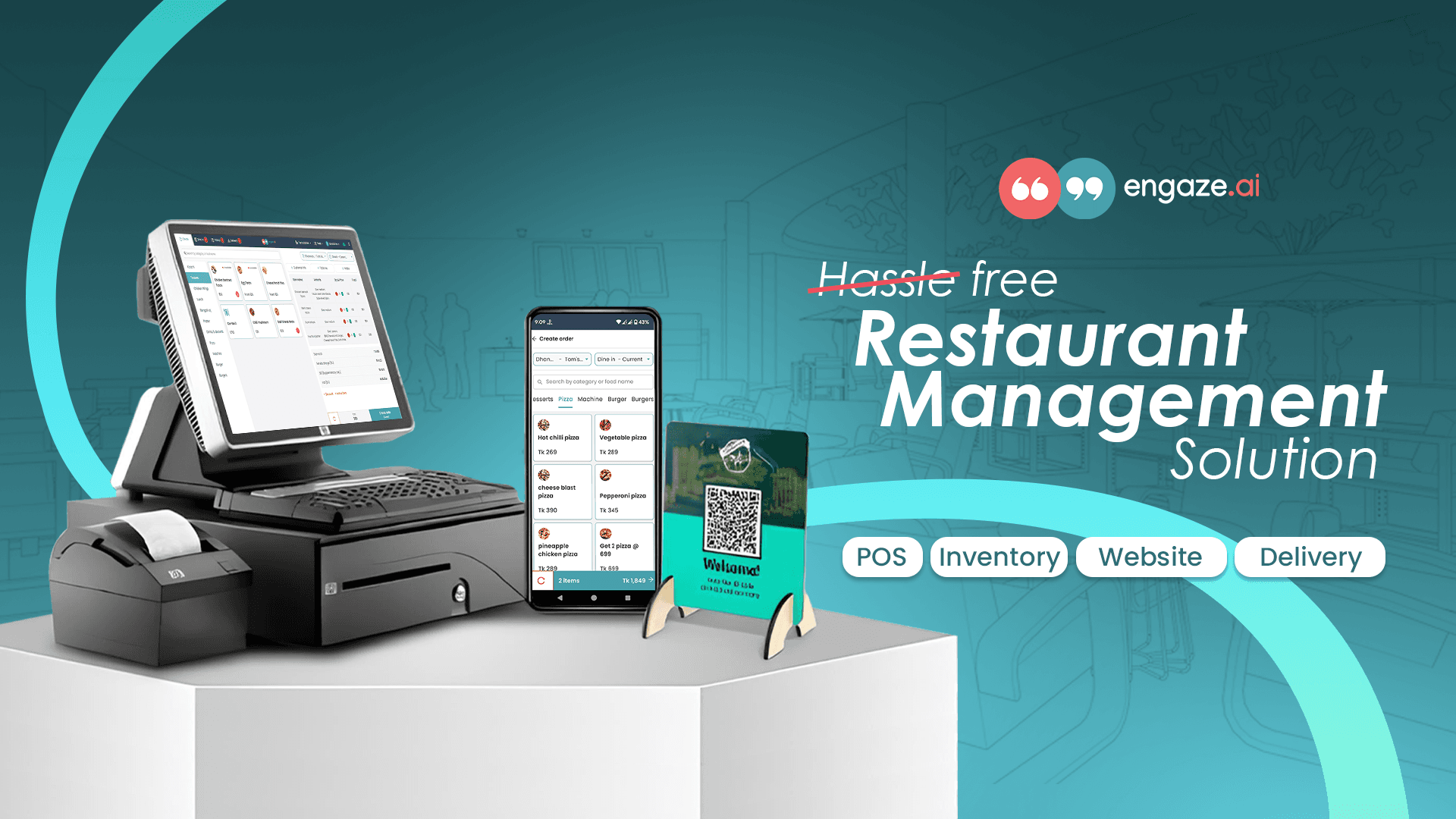
Engaze is a cloud-based restaurant management platform designed to bring ordering, billing, inventory, reporting, and other restaurant operations into one system.
For restaurants that want to digitise their operations without immediately investing in a large dedicated hardware setup, a cloud-based approach can provide a lower-risk starting point.
The ability to use existing devices can also make implementation easier for small and growing restaurants.
Start Simple, Then Build From There
Go back to that busy Friday evening.
A good POS does not magically make a restaurant quiet. Customers will still arrive, orders will still come in, and the kitchen will still get busy.
What it can do is make the operation more organised.
Order management, kitchen coordination, billing, payments, inventory, and reporting work together so that fewer things fall through the cracks.
For a single restaurant with moderate dine-in traffic, the starting priorities may simply be:
Centralised order management
Fast billing
VAT-ready billing configuration
Basic sales reporting
Inventory tracking
A cloud kitchen may prioritise delivery integration and kitchen order management.
A multi-branch restaurant may need centralised reporting, branch management, inventory control, and multi-location visibility from day one.
The best approach is to identify the three or four problems your restaurant needs to solve first and choose a POS around those problems.
Rather than spending heavily on hardware immediately, consider starting with a cloud-based restaurant POS on devices you already own.
Engaze can be a practical starting point for Bangladeshi restaurants looking to move away from handwritten KOTs, manual billing, scattered delivery orders, and spreadsheet-based reporting.